How to See Websites Visited with Screen Time on iPhone & iPad
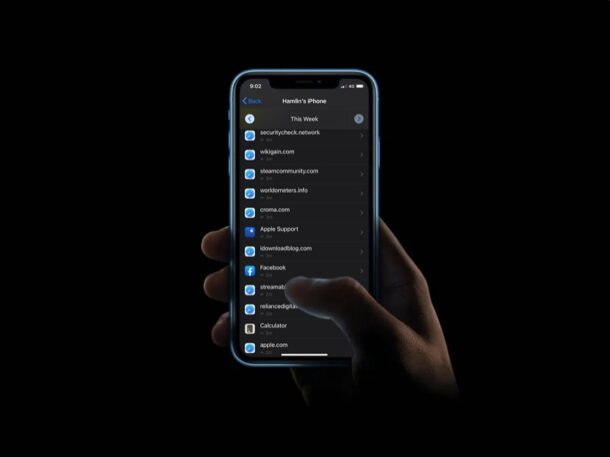
With Screen Time, you can keep an eye on what websites are visited and accessed on an iPhone or iPad. This Screen Time capability is completely separate from searching through Safari browser history to find past viewed websites, as it’s intended to keep track of web usage and what sites have been visited, which can be particularly helpful for iPad or iPhone setup for a child, though there’s obviously many other use cases too.
For some quick background, Screen Time is a feature in modern iOS, iPadOS, and macOS versions that allow users to keep track of their device usage, and it doubles as a set of parental control tools to restrict the content that children and other users are able to access on a device. The ability to view the list of websites visited is one such tool that could come in handy especially if you want to block any unwanted websites that are being accessed from the device.
Let’s take a look at how you can view which websites have been visited by using Screen Time on an iPhone or iPad.
How to View Which Websites Have Been Visited on iPhone or iPad with Screen Time
Before you go ahead with this procedure, keep in mind that you can only access this list if Screen Time is enabled on your device. Now, without further ado, let’s take a look at the necessary steps.
- Head over to “Settings” from the home screen of your iPhone or iPad.

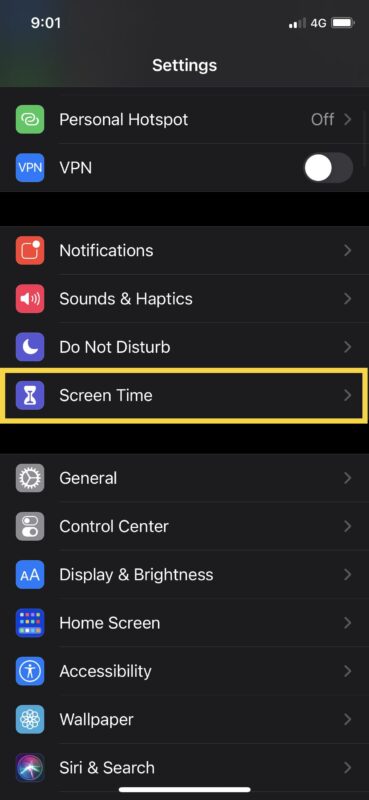
- In the settings menu, scroll down and tap on “Screen Time”.
- Here, tap on “See All Activity” located right below the graph.

- Now, you’ll be able to see a list of “most used” apps as shown below. Tap on the

- You might have to tap on “Show More” multiple times to view all the pages here, but you’ll be able to see the websites accessed from the device as you keep scrolling down, as shown in the screenshot below.

That’s how you can see the websites visited on an iOS or iPadOS device with Screen Time. Remember, this only works if Screen Time has been enabled.


